MoonJoy
A cross-platform space image screensaver and desktop wallpaper rotator with live mission overlay. Stunning imagery, zero effort.
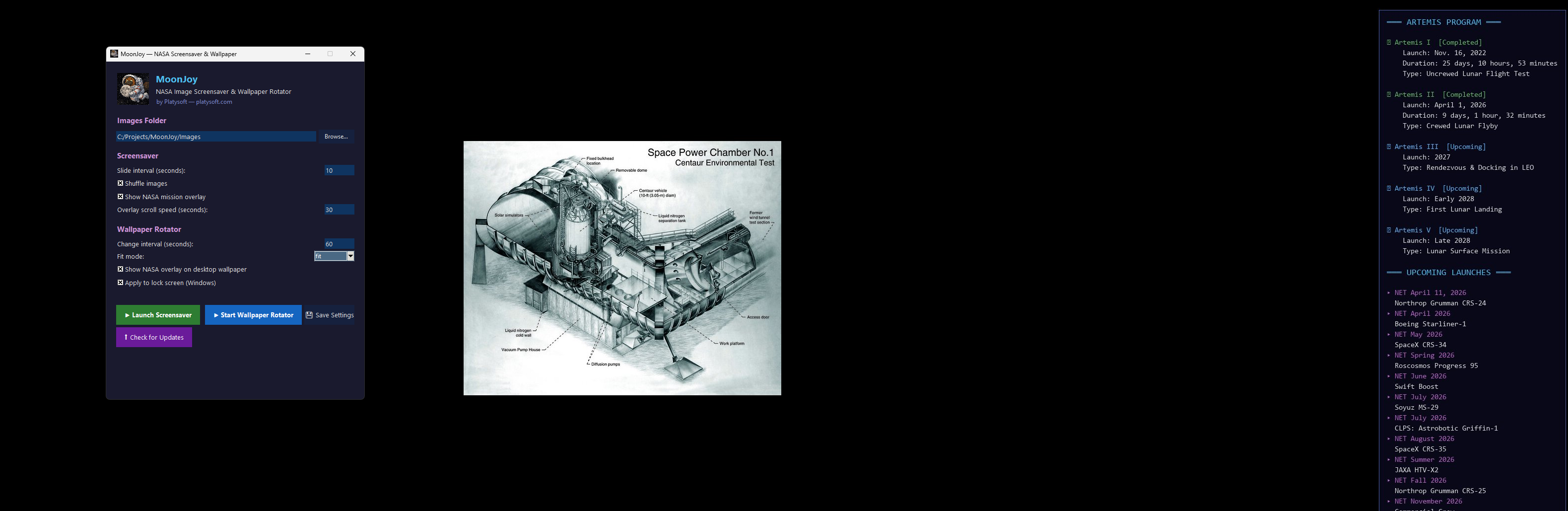
Everything You Need for the Perfect Desktop
Turn your desktop into a window to the cosmos with automatic image slideshows, wallpaper rotation, and live space mission data.
Fullscreen Screensaver
Beautiful fullscreen slideshow with smooth transitions. Reads images from any folder you choose — JPG, PNG, GIF, BMP, WebP, and TIFF supported.
Wallpaper Rotator
Automatically changes your desktop wallpaper at a configurable interval. Supports fit, fill, stretch, and center modes.
Mission Overlay
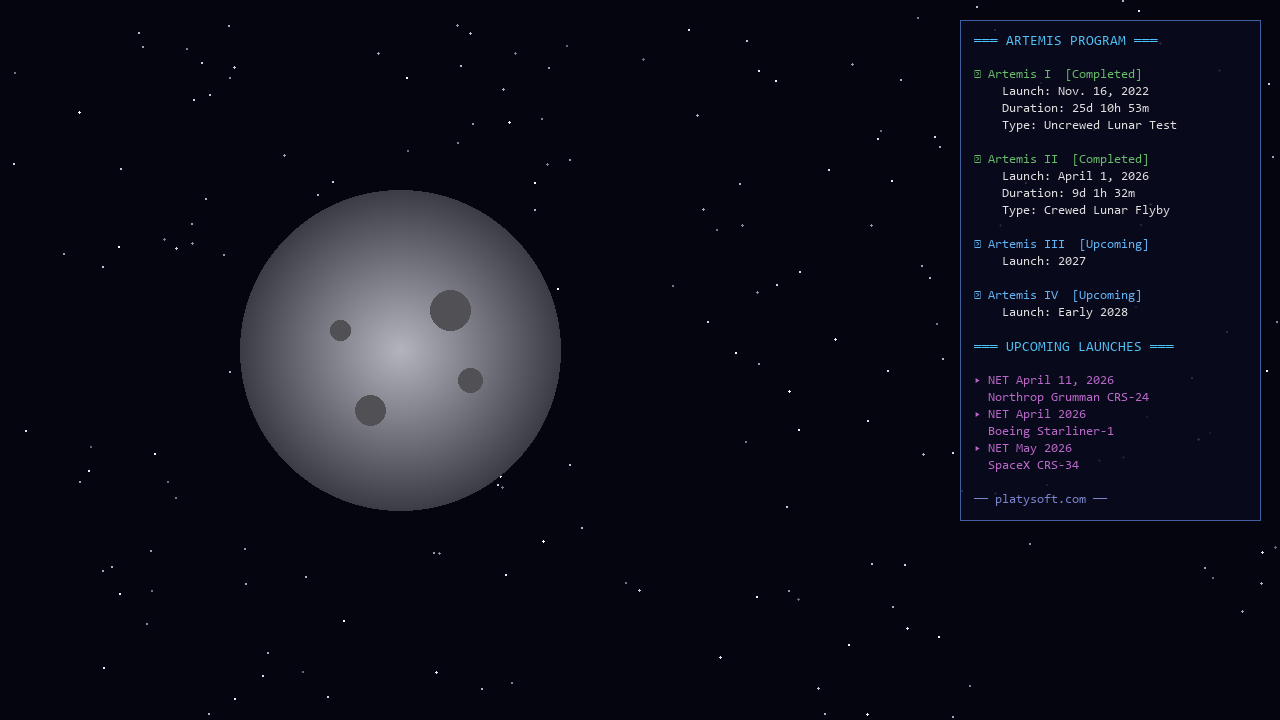
Live scrolling overlay showing Artemis program status and upcoming launches — burned directly onto your wallpaper or displayed on the screensaver.
Lock Screen Support
Optionally apply the same wallpaper (with overlay) to your Windows lock screen. Uses safe UAC elevation for the system registry.
Any Image Folder
Browse and select any folder of images. MoonJoy recursively scans subdirectories so all your photos are included automatically.
Shuffle & Sort
Enable shuffle for random variety, or disable it for a predictable ordered slideshow. Your choice persists across sessions.
Auto-Update
Built-in update checker queries GitHub releases. One click to download the latest version — never miss new features.
Cross-Platform
Native installers for Windows (MSI), macOS (DMG), and Linux (.deb). Works with GNOME, KDE, XFCE, Cinnamon, MATE, i3, and more.
Dark Themed GUI
Sleek dark interface for configuring every setting. Logo, status bar, and section-grouped controls — all without leaving the app.
Fullscreen Screensaver
A gorgeous fullscreen image slideshow that activates as your screensaver or on demand.
- Configurable Interval — Set slide duration from 1 second to hours. Perfect for ambient displays or quick previews.
- Mission Data Overlay — Real-time scrolling text in the corner showing Artemis missions and upcoming launch dates, color-coded by status.
- Instant Exit — Move the mouse or press any key to smoothly exit the screensaver and return to your desktop.
- Windows SCR Integration — Responds to Windows screensaver flags (/s, /c, /p) so it works natively with Screen Saver Settings.
Wallpaper Rotator
A background daemon that automatically changes your desktop wallpaper on a schedule.
- Configurable Interval — Rotate every 30 seconds, 5 minutes, or once an hour. You pick the pace.
- 4 Fit Modes — Fit (centered on black), Fill (crop to fill), Stretch, and Center. Each image is prepared per your preference before being set.
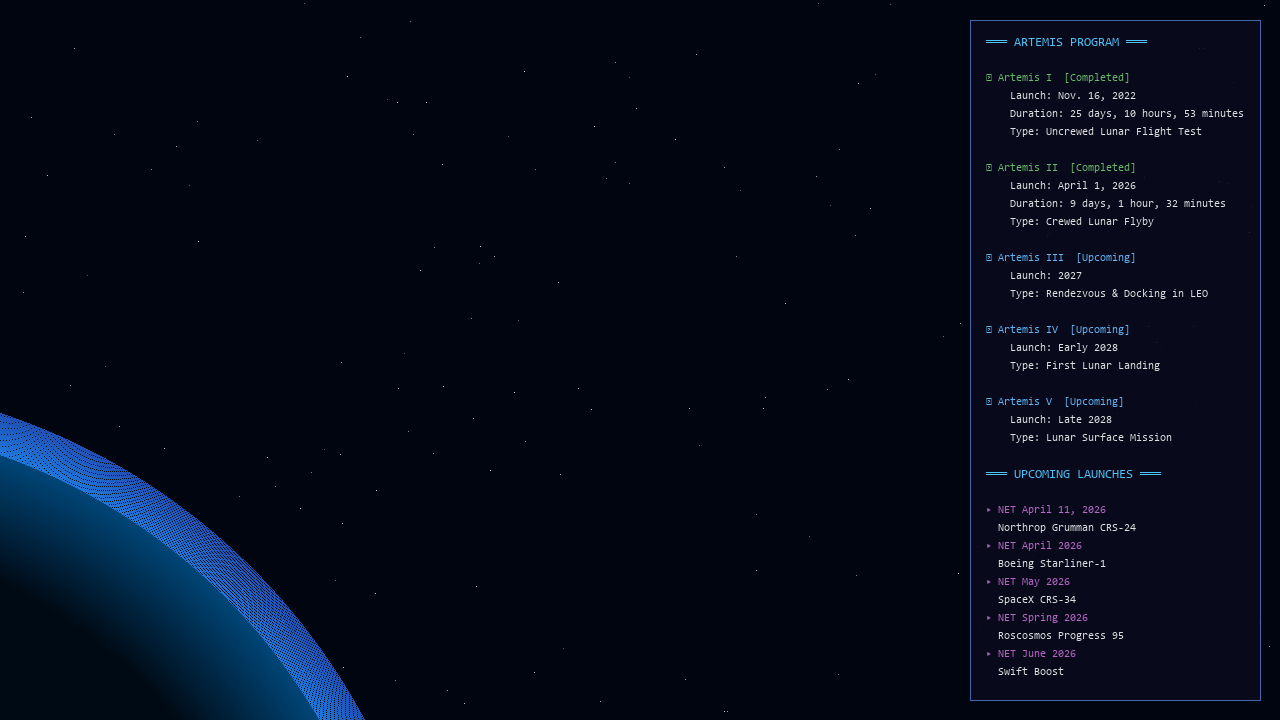
- Overlay Burn — Optionally burns the mission overlay directly onto the wallpaper image so it's always visible, with paginated display for long data.
- Lock Screen Sync — On Windows, the same wallpaper (with overlay) is applied to your lock screen via safe registry writes with UAC elevation.
- Graceful Shutdown — Responds to Ctrl+C and system signals. Clean exit, no orphaned processes.
Space Mission Overlay
Stay informed about humanity's journey to the Moon — right on your desktop.
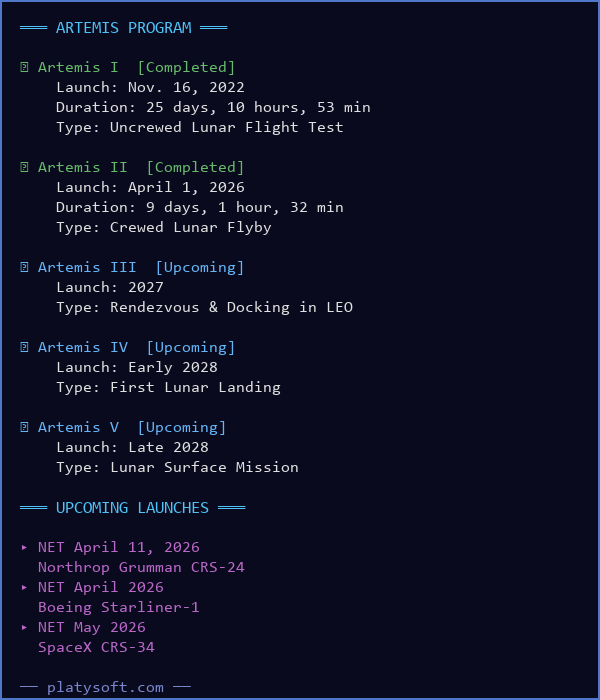
- Artemis Program — All five Artemis missions with status (Completed, Active, Upcoming), launch dates, durations, and mission types.
- Upcoming Launches — 20+ upcoming missions including ISS resupply, CLPS lunar landers, and deep-space telescopes.
- Color-Coded Status — Green for completed, orange for active, blue for upcoming, purple for launches, cyan for section headers.
- 6-Hour Cache — Data is cached locally and refreshed every 6 hours. Works offline with hardcoded fallback data.
- Paginated on Wallpaper — When there are more lines than fit the screen, the overlay auto-paginates across wallpaper rotations.
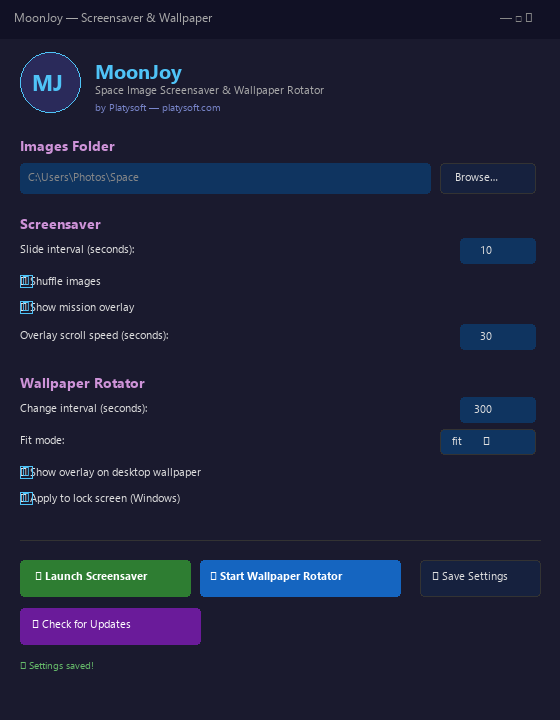
Settings GUI
Every option is accessible from a single dark-themed window — no config files to edit.
📁 Images Folder
Browse to select any folder. MoonJoy recursively scans for images in all subdirectories.
🖼️ Screensaver
Slide interval, shuffle toggle, mission overlay toggle and scroll speed.
🌍 Wallpaper
Change interval, fit mode selector, overlay burn and lock screen toggles.
⬆️ Updates
One-click update check queries GitHub releases. Opens the download page if a new version is found.
Technical Details
Built with Python and Pillow for maximum portability and reliability.
Platform
- Python 3.12+ / Pillow / tkinter
- Windows 10/11, macOS, Linux
- Self-contained PyInstaller binary
- MSI, DMG, and .deb installers
Architecture
- Modular package (moonjoy.*)
- JSON config at %APPDATA%
- Background daemon for wallpaper
- Threaded data loading
Image Processing
- Pillow for resize, crop, overlay
- Fit / Fill / Stretch / Center modes
- JPG, PNG, GIF, BMP, WebP, TIFF
- Overlay burn with alpha compositing
Installers
- Windows: WiX 5 MSI (Program Files)
- macOS: DMG with .app bundle
- Linux: .deb with desktop entry
- GitHub Actions CI/CD
System Requirements
| Requirement | Details |
|---|---|
| Operating System | Windows 10+, macOS 12+, Ubuntu 22.04+ (x64) |
| Disk Space | ~50 MB (self-contained binary) |
| RAM | 128 MB min, 256 MB+ recommended |
| Prerequisites | None — everything bundled |
Frequently Asked Questions
Common questions about MoonJoy.
Where does MoonJoy look for images?
images folder next to the executable. You can change this in the Settings GUI using the Browse button, or by editing the JSON config at %APPDATA%\MoonJoy\moonjoy_config.json.Can I use it as a Windows screensaver?
/s, /c, /p). Rename the exe to .scr and place it in C:\Windows\System32, or launch it from the GUI.How do I change the wallpaper rotation interval?
What are the fit modes?
Does the overlay update automatically?
How does the lock screen feature work?
HKLM\PersonalizationCSP registry key. This requires admin privileges, so a UAC prompt will appear. On Linux, the lock screen is set via the appropriate desktop environment commands.Does it work on macOS?
osascript) which works on all recent macOS versions. A DMG installer with a proper .app bundle is provided.How do I check for updates?
What image formats are supported?
How do I uninstall?
sudo dpkg -r moonjoy. Config is at %APPDATA%\MoonJoy (Windows) or ~/.config/moonjoy (Linux/macOS).Ready to Transform Your Desktop?
Get MoonJoy free — stunning space images and live mission data on your desktop, lock screen, and screensaver.